· By the Calkin team
When is it worth updating a formula?
Newer Excel functions get recommended constantly, but rarely with any guidance on when it is actually worth rewriting something that already works. Here is what you gain, and when it can wait.
What you gain
The newer functions have one thing in common. They describe what you want rather than where it sits.
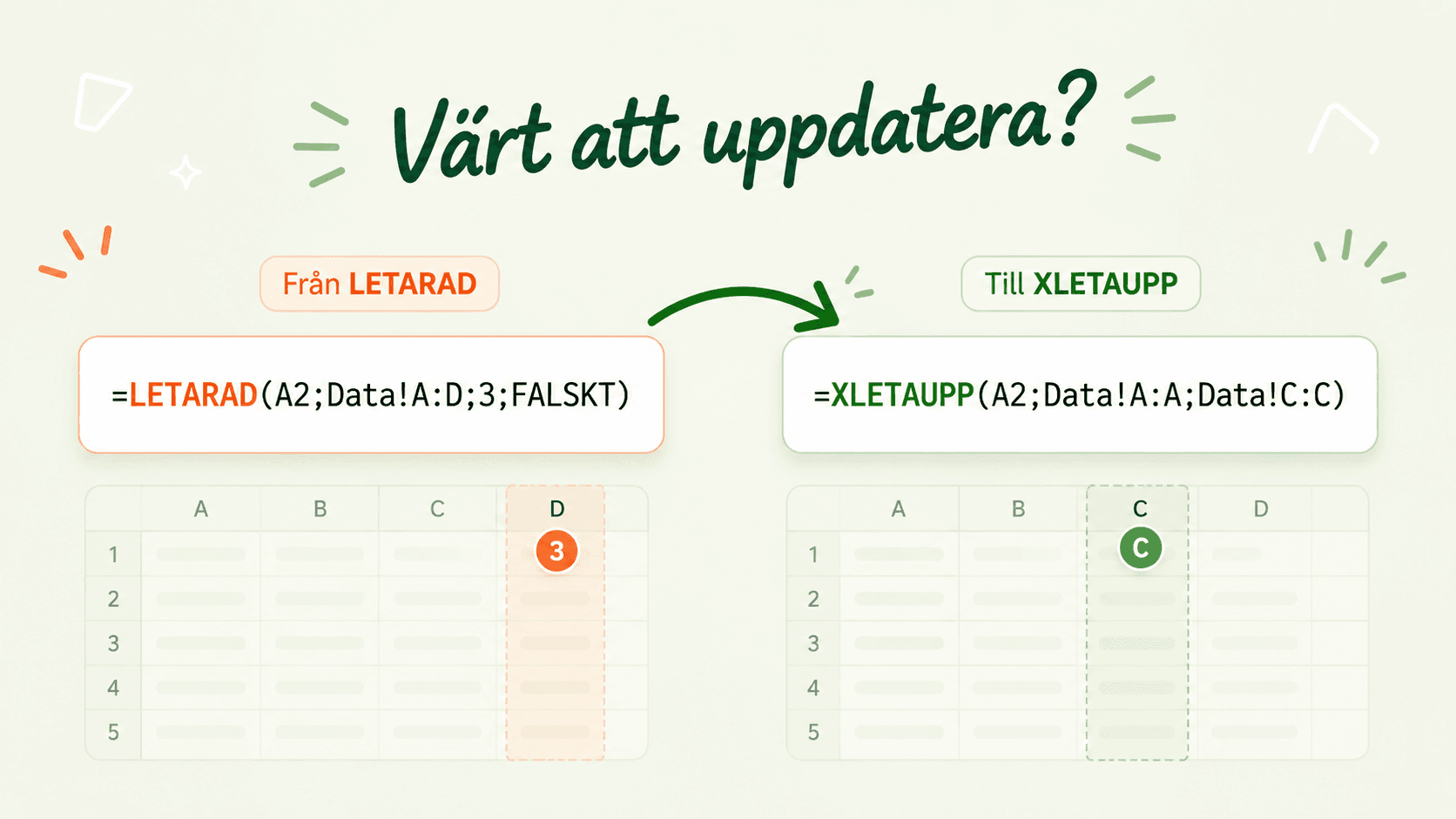
XLOOKUP points at the column you mean instead of counting columns from the left, so the range moves along when someone adds a column to the source. XLOOKUP also defaults to an exact match, while VLOOKUP looks for an approximate one if you leave out the last argument, which means the default is now the thing you usually want. TEXTBEFORE and TEXTAFTER cut at a character you choose rather than at a number of characters, so the length of the values stops mattering.
It is the same idea three times. The older functions arrived when layouts were more stable, and the newer ones have been added for what files look like today.
When it is worth it
Two questions are usually enough. Does more than one person work in the file, and does it live on year after year?
If the answer is yes, the layout will change at some point without the person who wrote the formula being there, and then it is worth having the formula describe intent rather than position. If you are building something new the choice is easier still, use the newer functions from the start.
When it can wait
If the file is a one-off analysis, or finished and used by a single person, the gain is mostly theoretical.
If it is going to people on older versions of Excel the change is actively worse, because the newer functions are not there. And every formula you touch is a chance to alter something by accident. Rewriting three hundred working formulas as a precaution is rarely a good deal.
The best moment is when you are already in there making changes anyway.
Knowing where they are
The hard part is rarely choosing the right function. The hard part is knowing where the old ones sit in a file several people have built on over several years.
Calkin goes through the workbook and shows which older formulas it contains, how many there are and where, along with what they can be replaced with. That turns the upgrade into a list you can work through at your own pace.