· By the Calkin team
The most common formula errors no one notices until it is too late
Small formula errors in Excel rarely stand out immediately. They are usually discovered only when a report does not add up, a forecast is questioned, or someone needs to understand how a number was actually calculated.
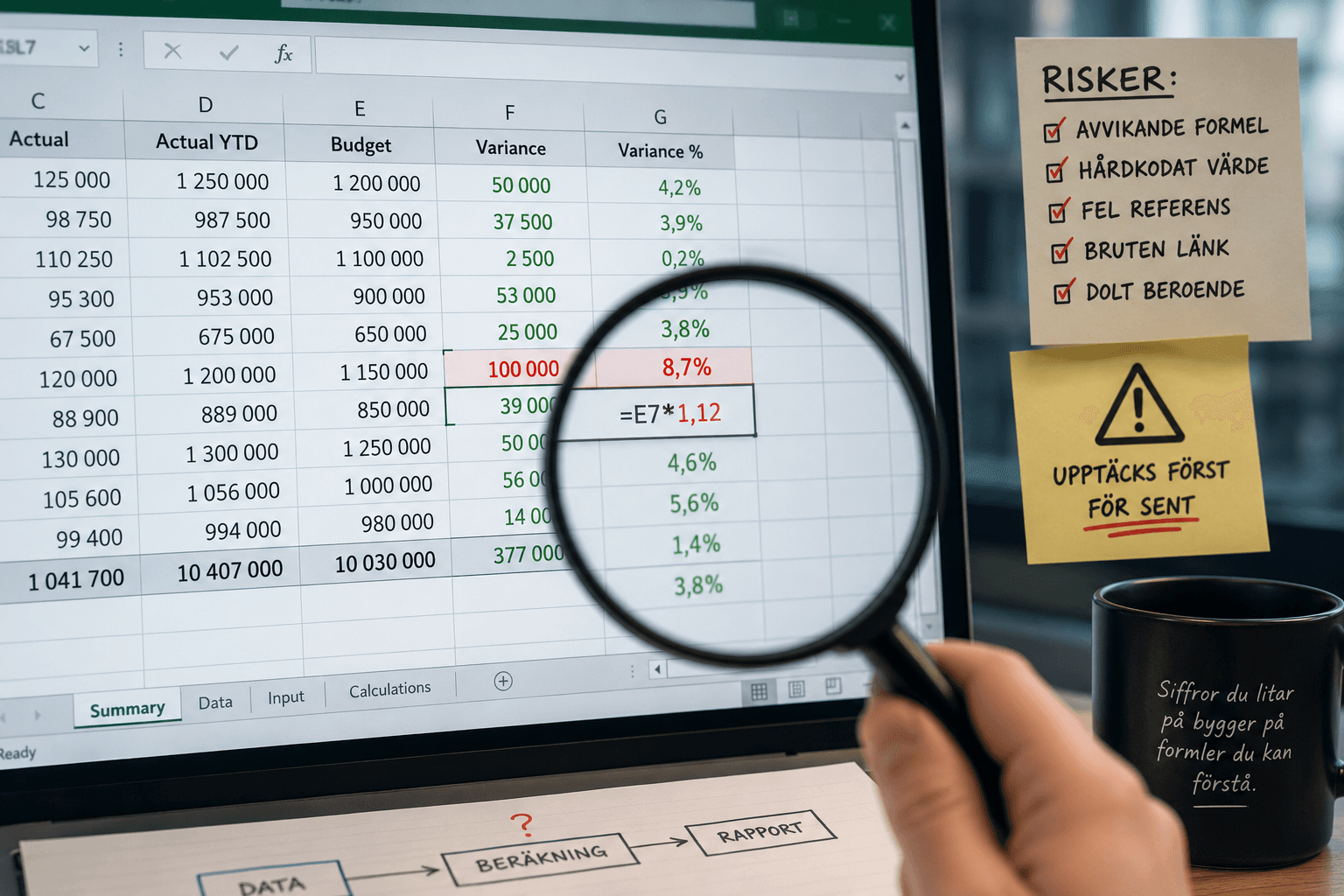
When the formula looks right, but is not
Most serious Excel errors do not start with a major mistake. They start with something that seems reasonable at the time. A row is copied. A cell is adjusted manually. A formula is expanded to solve an urgent problem before month-end close.
Then the spreadsheet lives on.
That is why formula breaks are so difficult to detect. They do not always appear as error messages. Often, they return a number that looks perfectly reasonable. The problem is that the number no longer follows the same logic as the rest of the model.
For finance teams, controllers, and analysts, that can become costly. Not because Excel is the wrong tool, but because critical Excel files often evolve faster than the controls around them.
Formula break 1: A deviating formula in the middle of a column
One of the most common errors is also one of the most deceptive. A column may contain hundreds of rows with the same formula, but somewhere there is a row that differs.
Perhaps the formula was changed manually to handle an exception. Perhaps it was copied from the wrong row. Perhaps one part of the calculation is missing.
The risk is that the eye tends to follow the structure, not every individual cell. If the column looks consistent, many people assume that it is consistent.
In reports, budgets, and forecasts, this kind of deviation can affect totals, margins, or key figures without anyone noticing until the numbers are used in a decision.
Formula break 2: Hardcoded values where there should be logic
Hardcoded values are sometimes necessary. The problem arises when they are hidden inside formulas.
A formula containing *1.12, +50000, or a manually adjusted amount may be completely correct right now. But if no one knows why the value is there, when it should be updated, or what it replaces, the spreadsheet becomes harder to trust.
This often happens in files that have been used for a long time. Temporary fixes become permanent. Adjustments from a previous period remain in place. A figure that was supposed to be documented later is never documented.
Eventually, it becomes unclear whether the model is calculating or simply repeating old assumptions.
Formula break 3: Incorrect cell references after copying
Excel makes it easy to copy formulas. That is one of its strengths, but also a common source of errors.
A relative reference may move when it should not. An absolute reference may be locked to the wrong cell. A link to an assumption may end up one row or column off.
The error is especially hard to find because the formula still works technically. It retrieves a value, performs a calculation, and returns a result. But the result is based on the wrong input.
This is particularly common in models with many sheets, periods, business units, or scenarios. The more that gets copied, the greater the risk that a reference loses its connection to the original logic.
Formula break 4: Broken links between sheets and files
Many Excel processes rely on links between sheets, templates, and external files. This can work well, but it requires control.
When a sheet is renamed, a file is moved, or a structure changes, old links may continue to affect the model. Sometimes this is noticed immediately. Often, it is not noticed at all.
External links are especially sensitive in workflows where several people contribute input. A report may look complete while still relying on an old version of a file or a reference that is no longer relevant.
It is not unusual for these errors to be discovered only when someone asks why the same key figure looks different in two reports.
Formula break 5: Hidden dependencies that only one person knows about
Not all formula breaks are about the formula itself. Sometimes the issue is that the logic only exists in the head of the person who built the file.
It may be a hidden sheet, a helper calculation, a manual update order, or a dependency between two cells that is not obvious. As long as the same person manages the file, the process works. But during sick leave, holidays, staff turnover, or audit, the vulnerability becomes clear.
An Excel file that requires oral tradition to be understood is not necessarily a bad file. But it is difficult to control.
The real problem is not the formula, but the uncertainty
Excel will continue to play a central role in finance work. It is flexible, fast, and familiar. The problem is not that teams use Excel, but that important models often lack a way to show when the logic has changed.
To reduce risk, teams need to detect deviating formulas, see changes, understand dependencies, and gain better control over critical spreadsheets without having to leave Excel.
That is where a tool like Calkin fits in. Not as a replacement for Excel, but as practical support for making existing spreadsheet processes clearer and more reliable.
The most dangerous formula breaks are rarely the ones that crash the file. They are the ones that keep calculating, look reasonable, and are discovered only after the decision has already been made.